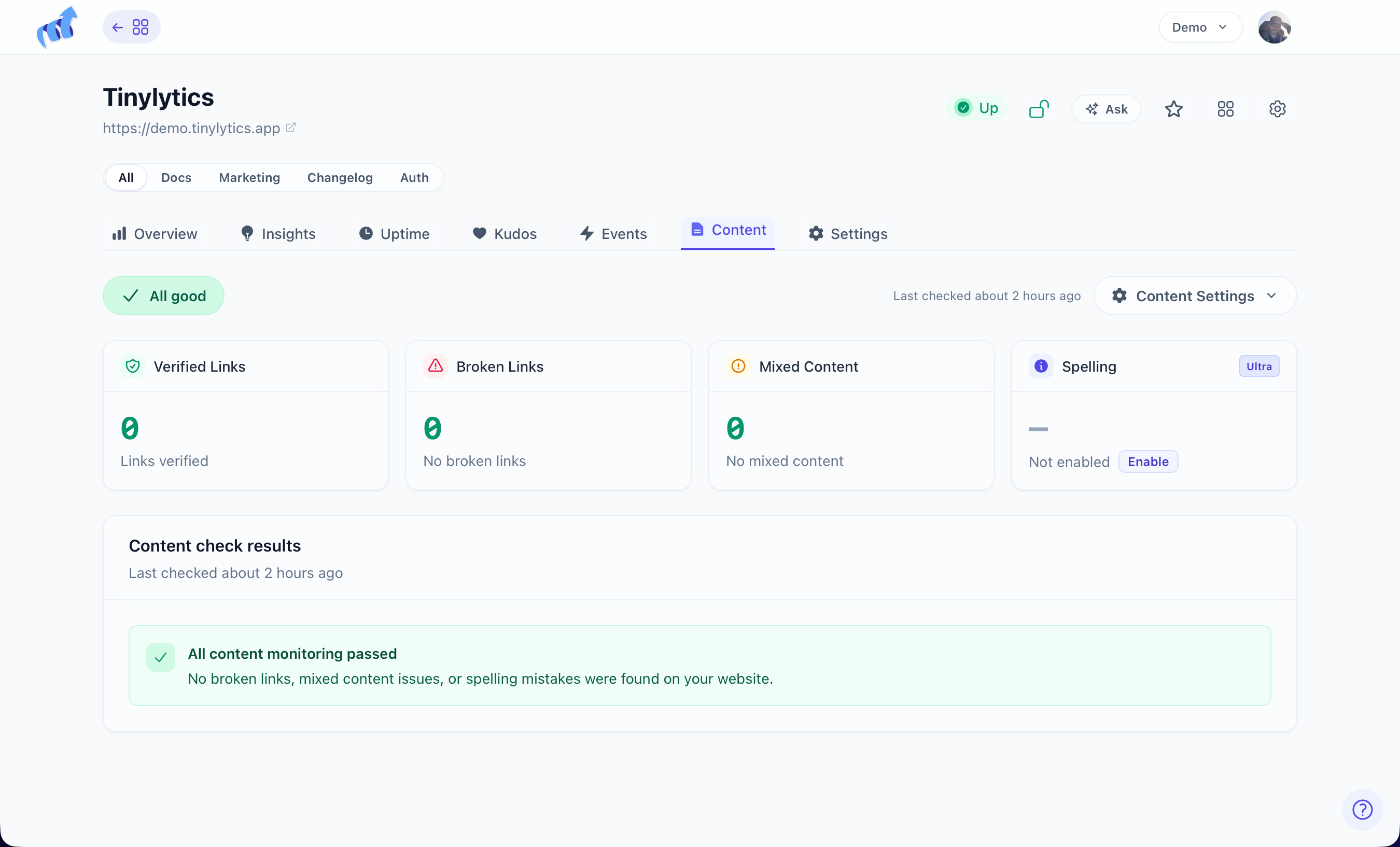
Content monitoring
Sites rot quietly. A link you added two years ago stops resolving, an image sneaks in over http:// and breaks the padlock on an otherwise secure page, and nobody tells you because visitors just leave. Content monitoring crawls your site and reports these things while they are still small.
It is a paid feature. Each crawl covers up to 50 pages, following links two levels deep from your start URL or root path.

Enable it on the Content tab. The first scan runs immediately so you get an answer straight away, and after that it runs itself about once a day. If your site lives in a subdirectory you can set a root path so the crawler starts in the right place, and ignore paths — one per line — keep the crawler away from same-host URLs you do not want checked.
The crawl itself stays on your domain. Outbound links are still checked unless you turn on Only check this site. That mode is for internal linking: we report broken links on your pages and skip the rest of the web. Allow hosts let a few extra domains through (sibling sites, Wikipedia), and block hosts skip noisy outbound domains even when you are still checking everywhere. One host per line; subdomains are included, so wikipedia.org covers en.wikipedia.org.
What it reports
- All good
- Broken link
- Mixed content, meaning an
http://resource on anhttps://page - Spelling, on Ultra, opt-in and still an early preview
The distinction that saves you the most noise is between a failure and a problem. A 502, 503, or 504, a timeout, or a Cloudflare 520–526 usually means a server had a moment, not that your link is broken — so those go to Scheduled recheck and stay pending until they either confirm or clear. Only confirmed issues become issues, and email waits for that confirmation. A hard 404 is a broken link; a 500 has to prove itself first.
When you have fixed something, Check again on that row rather than waiting for the next crawl, or check every matching row at once after a bigger clean-up. Ignore is there for the false positives every crawler produces — filter the list by type, search within that filter, then Ignore matching rows in one go. Check now in Content Settings runs a full scan on demand.
The same queue is available to a program. A content_issue webhook includes found_on_url (the pages to edit). GET /sites/:id/content lists the backlog. After you publish a fix, PATCH .../ignore or POST .../recheck closes the row. That loop, with a human still in the middle, is in LLM use cases.
New confirmed issues arrive from [email protected], at most once every 24 hours while anything is still open — enough to tell you something is wrong, not enough to become the thing you filter. Pause the emails while you are doing maintenance, or switch them off entirely in Content Settings.
Ultra’s Spell checking rides along on the same scans and is opt-in. Add your brand names and jargon to its ignore list early, or it will find them all. It works best on English for now.