
Event tracking
Event tracking is beta. Clicks, downloads, form submits: name them with data-tinylytics-event. They show on the Events tab, not as page hits.
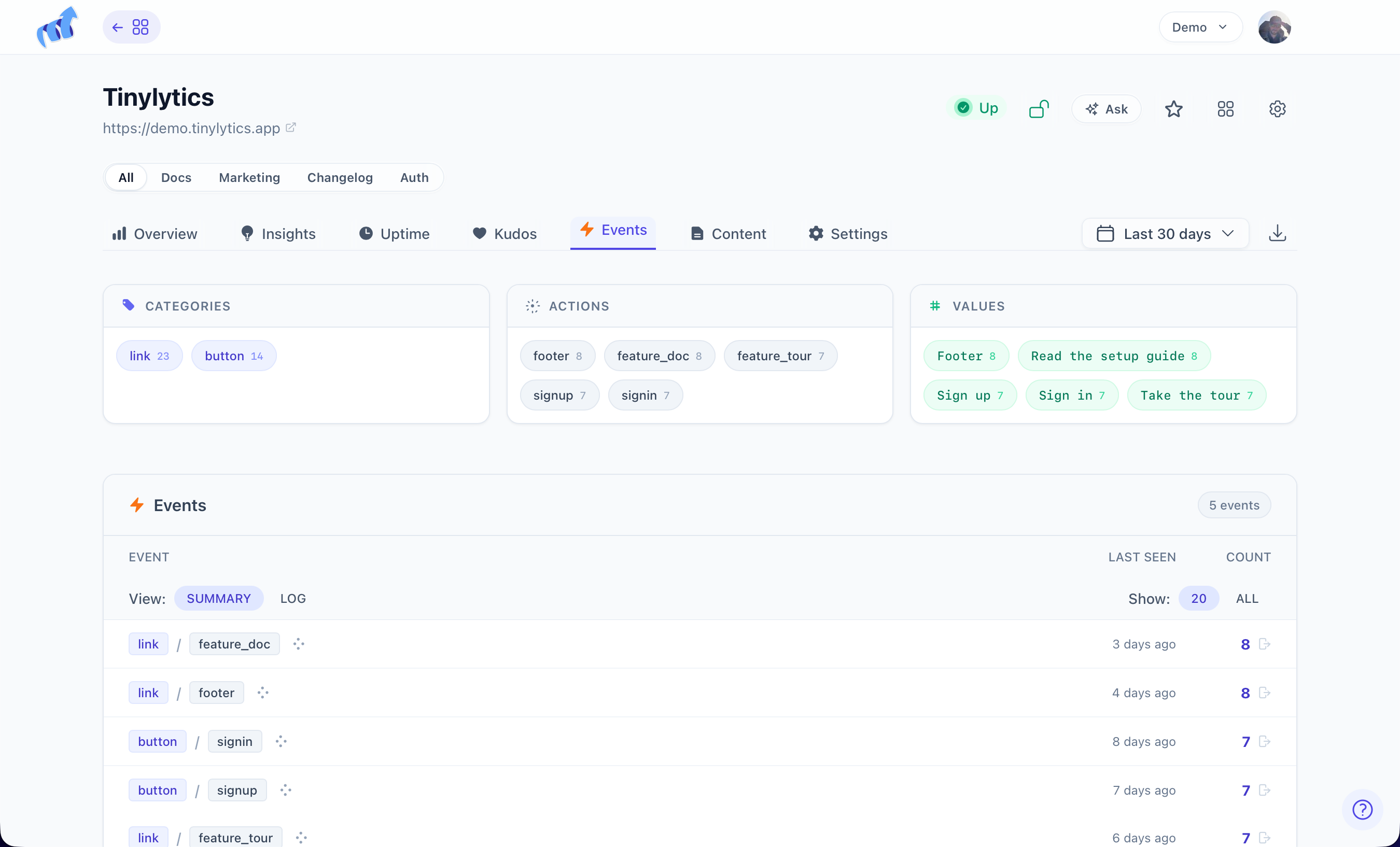
Add ?events to the embed. defer still belongs on the tag.
<script defer src="https://tinylytics.app/embed/YOUR_EMBED_CODE.js?events"></script>
Combine with widgets: ?events&kudos&hits. If hit collection is off, or the script has ?ignore, events do not fire either.
Naming
Names are category.action. button.click, file.download, form.submit. Not click alone. Arrows become dots: button->click is stored as button.click.
<button data-tinylytics-event="button.subscribe">Subscribe</button>
Optional value:
<a href="/guides/guide.pdf"
   data-tinylytics-event="file.download"
   data-tinylytics-event-value="guide.pdf">
  Download the guide
</a>
Put the attribute on the thing that is clicked. For a form, the submit button is enough.
Beacon
Default is fetch. A click that leaves the page can cancel that request. ?beacon uses navigator.sendBeacon so the event can still leave.
<script defer src="https://tinylytics.app/embed/YOUR_EMBED_CODE.js?events&beacon"></script>
Some privacy browsers block beacons. Try both if completeness matters.
The script debounces the same element to one event every 500ms.
A named conversion can be a goal.