
Insights
Insights is on paid plans. Each day Tinylytics looks at the last week of traffic, finds signals (spikes, new top pages, referrer shifts), and writes a short report.
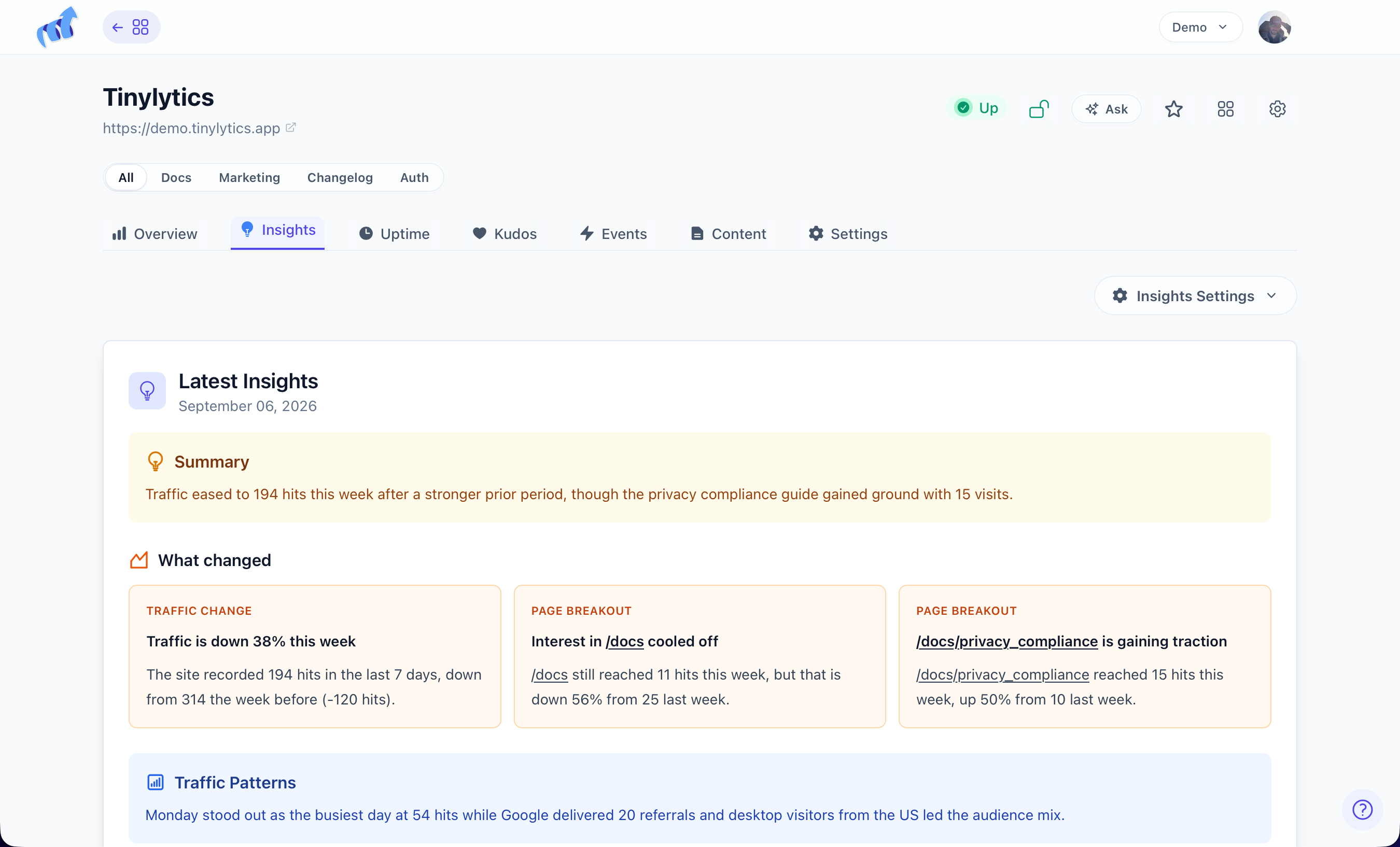
Ultra also gets Ask on the dashboard: a one-day chat about your sites. That is not this page. Toggle it under Account → Overview → Ask.
Turn it on
Insights tab → Enable Insights. Needs at least 10 hits in the last 7 days and an active subscription. Paused on expired trials. First run queues immediately. After that, 1:00 AM in your timezone.
Insights Settings is custom instructions (“focus on blog posts, skip traffic tips”) and Send daily insights via email. Email is from [email protected] when that day’s insight is generated.
Several sites: Account settings can send one grouped digest at 9:00 AM, keep the per-site emails, or both. The per-site toggle still chooses which sites are included.
What is in a report
- Summary — what changed most this week
- Signals — traffic jumps, rising pages, new referrers, audience shifts
- Traffic patterns — peak days and hours
- Best performing content
- Recommendations — two or three concrete next steps
History sits under the latest report. Disable Insights is at the bottom of Insights Settings.
Insights uses the same anonymised traffic Tinylytics already has. No extra tracking.