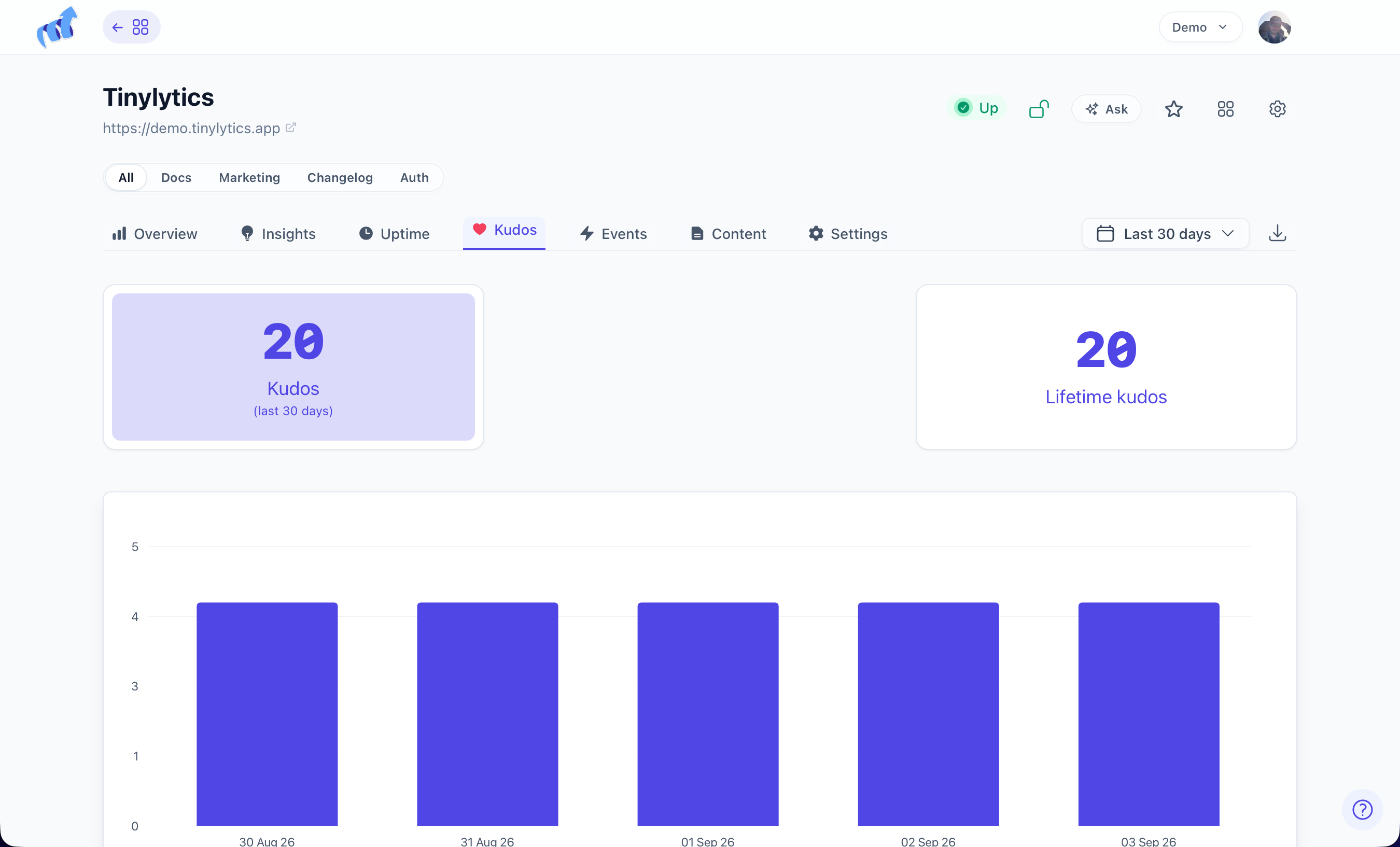
Kudos

Kudos is a like button for your own site. Someone enjoys a post, they tap it, and the appreciation stays on your page rather than being routed through a social network that wants something in return. No account, no login, no tracking of the person who pressed it.

Confirm your email address before you expect kudos to record โ€” like everything else that writes to your account, this waits for a confirmed owner.

<script defer src="https://tinylytics.app/embed/YOUR_EMBED_CODE.js?kudos"></script>
<button class="tinylytics_kudos"></button>

Leave the button empty. The script fills it with ๐Ÿ‘‹ and the current count.

On an index page that lists several posts, tell each button which post it belongs to:

<button class="tinylytics_kudos" data-path="/the-path/to-your-post"></button>

Paths start with /. A wrong path records happily against the wrong page, so it is worth checking one before you template it across a hundred.

After a click the button gains a .did_select class and is disabled, and a kudos id goes into local storage so the same browser cannot count twice.

Emoji and custom markup

A wave is the default because it is friendly and means very little. Swap it for something that means more on your site:

<script defer src="https://tinylytics.app/embed/YOUR_EMBED_CODE.js?kudos=โค๏ธ"></script>

?kudos=custom returns only the count, which is what you want when you would rather draw the control yourself. data-private="true" hides the public count while still recording it โ€” useful on a new site where a visible zero does more harm than good. If you go either route, style .did_select yourself so people can still see that their tap registered.

Try it here:

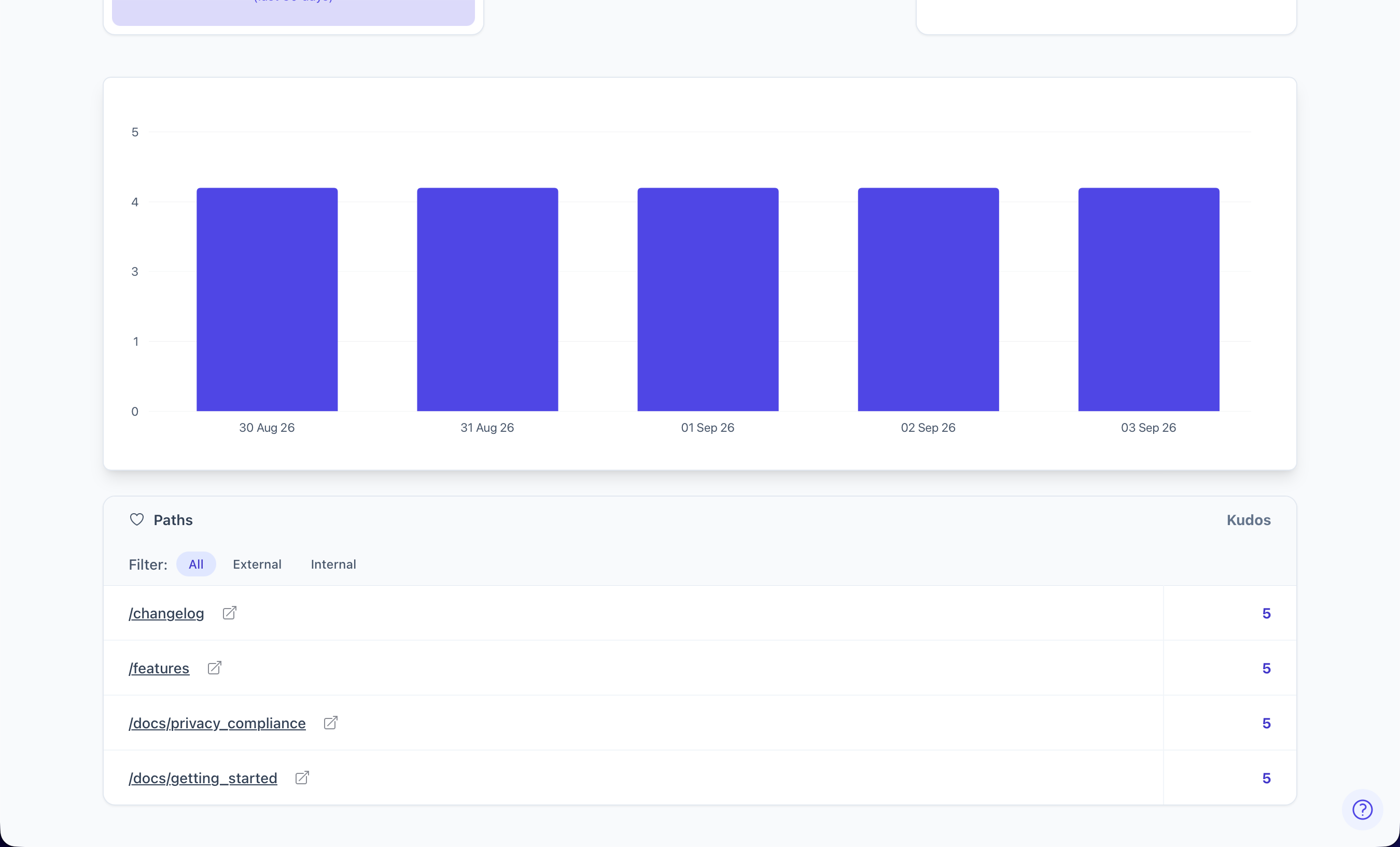
Paid plans add kudos tables to the dashboard, so you can see which posts people actually appreciated rather than only which ones they opened.

Likes from the IndieWeb can land here too. See webmentions.

Effects

A tap on kudos can also play a short effect โ€” confetti, a coin, a ripple โ€” so the person who pressed it sees that it landed. Add kudos_effect to the script with the name of the one you want:

<script defer src="https://tinylytics.app/embed/YOUR_EMBED_CODE.js?kudos&kudos_effect=confetti"></script>

kudos_effect=random picks a different one on every tap. Add kudos_sound for a short, quiet sound to go with it:

<script defer src="https://tinylytics.app/embed/YOUR_EMBED_CODE.js?kudos&kudos_effect=random&kudos_sound"></script>
Group Effects
Fun confetti, emoji_rain, hearts, fireworks
Retro coin, power_up, pixel_sparkles, crt
Calm ripple, petals, sparkle

Pick one to preview it:

fun
retro
calm

The effect plays once, on the tap that records the kudos, and never on a button that is already selected. emoji_rain rains your kudos emoji. Visitors who have asked their system for reduced motion get a small pulse on the button instead.

The effects are a separate file that the script loads only when a page has a kudos button still waiting for a tap, so pages without one download nothing extra. An unknown effect name is ignored and the button works as before.