
Uptime monitoring
Uptime monitoring checks whether the site is actually up. It runs on Thunder Clap. New Tinylytics monitors provision there. It is on paid plans, not on legacy free accounts. Ultra can set the check interval from 1 to 10 minutes (default 10).
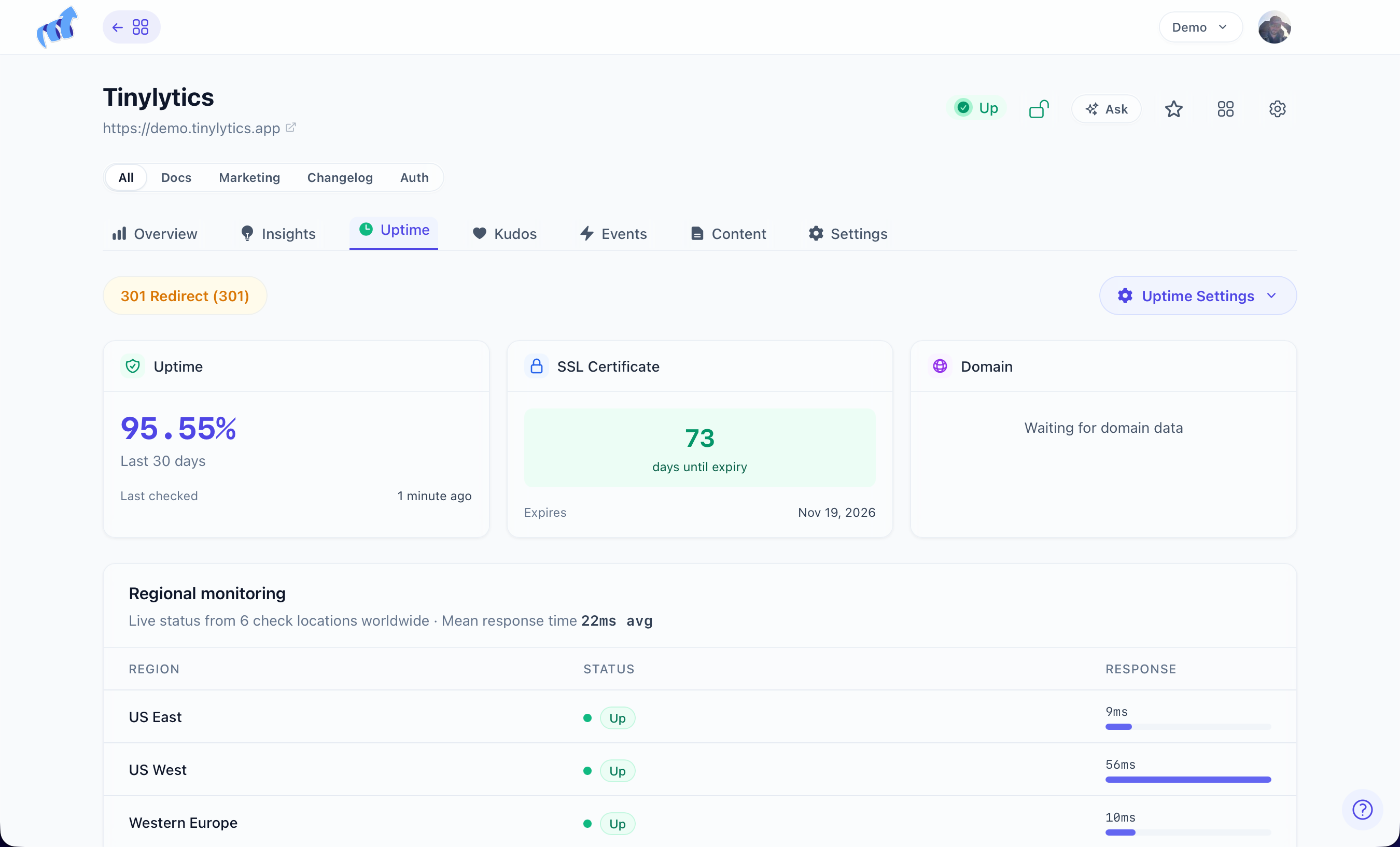
Checks come from several regions. One region having a bad morning is not downtime. Thunder Clap confirms across enough regions before it marks the site down and emails you. While a region is checking or down, that region checks every minute until it clears. After 7 days down, monitoring pauses; resume it from the dashboard.
On the Uptime page
A 3-card grid: 30-day uptime, SSL, and Domain. Then Regional monitoring (click a region; Ultra also sees response times). Then Downtime History. Pause or remove the monitor from there.
Turn the feature on under Features: Uptime, SSL & Domain.
SSL: one expiration alert. In the UI, expiring soon means within 30 days. There is not a 14 / 7 / 1-day schedule. You also get a heads-up when a certificate looks wrong, and when it renews.
Domain expiration is the same idea for the domain itself.
Email covers confirmed down, recovery (with how long it was out), SSL, domain, and the 7-day auto-pause.
Show it on the site
https://tinylytics.app/embed/YOUR_EMBED_CODE.js?uptime
<span class="tinylytics_uptime"></span>
Combine with hits or kudos on the same script URL (?hits&uptime).
If the dashboard says down and the site is fine, a firewall is often eating the checks. Allow this User-Agent:
Tinylytics Uptime Monitor/1.0
On Cloudflare, skip WAF for that User-Agent so the probes are not blocked.