
Reports and alerts
Weekly traffic email, plus alerts when something is actually wrong. Configure weekly email under Settings → Email Reports.
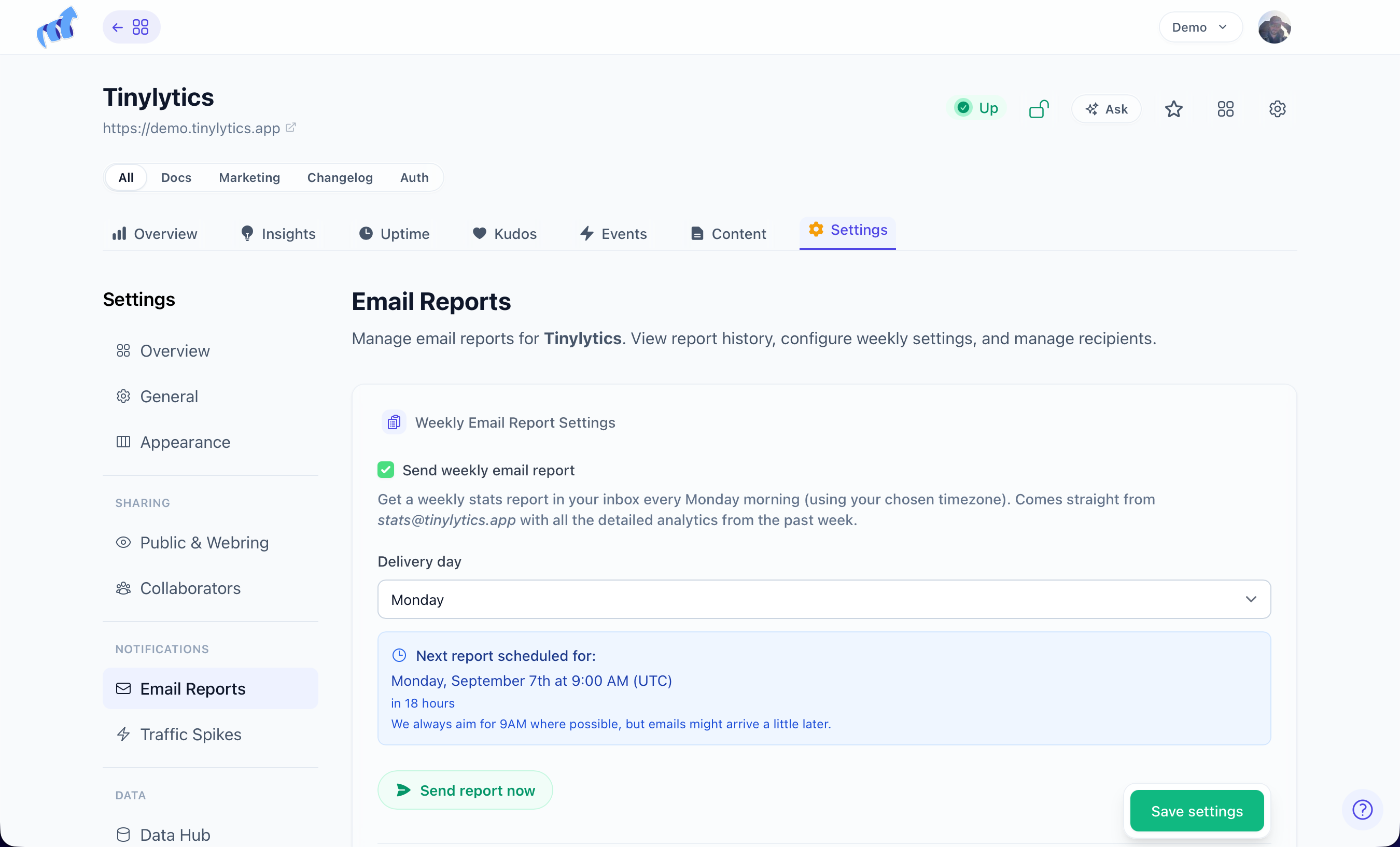
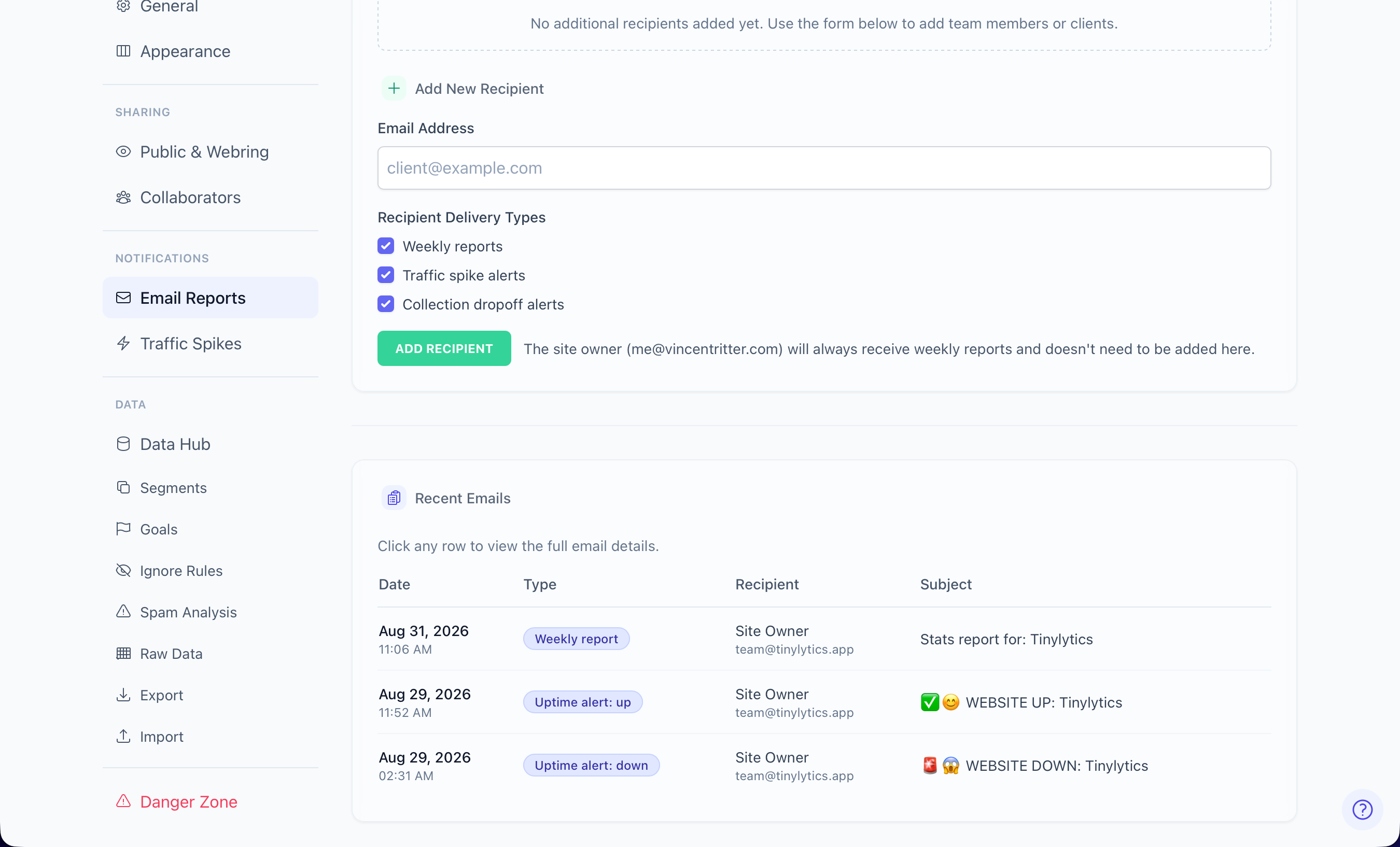
Weekly report
Hits (and unique hits if you use them), top pages (up to 30), and kudos by page if kudos is on. It covers the previous calendar week, using Week starts on (Sunday or Monday). Default send is 9am in your timezone on that week-start morning. Ultra can pick a different day.
Send Report Now is on that same Email Reports screen.
Alerts
Uptime: confirmed down, recovery, SSL, domain. Test Down / Test Up live under Email Reports too.
Content monitoring: broken links and mixed content. You can pause those emails during maintenance.
Who gets email
The account owner always gets everything.
Extra recipients are Ultra. Each extra address chooses weekly reports, traffic spike, and/or collection dropoff. They do not automatically get the owner’s full set.
Traffic spikes
Traffic spikes are Ultra. Settings → Notifications → Traffic Spikes. Email when live traffic crosses a visitor threshold (default 10) in a 5-minute window. 12-hour cooldown after an alert. If Insights is on, the email includes a one-off spike analysis.
Spike protection on the same page caps repeated hits from the same browser, path, and country in a 12-hour window.
Collection dropoff
Collection dropoff is Ultra, on the same screen. Email when collection looks like it stopped: site at least 14 days old, a steady week of at least 10 hits a day, then the last 24 hours at 5% or less of that average. Optional Verify embed script before alerting fetches the page and looks for the Tinylytics script so a quiet day is not a false alarm. Job every 6 hours, 7-day cooldown.